Extension
Amazon seller research tools
Financial model
Essential for pricing and profit forecasting
Product tracker
Market research and performance tracking
Featured product
Organizes and simplifies product analysis
Calculator
Calculates costs, profits, and break-even points
Keywords
Keyword research and ranking opportunities
AI Agent
Your AI assistant for Amazon research and decisions
MCP Server
Use Mettra tools and Amazon data inside your AI
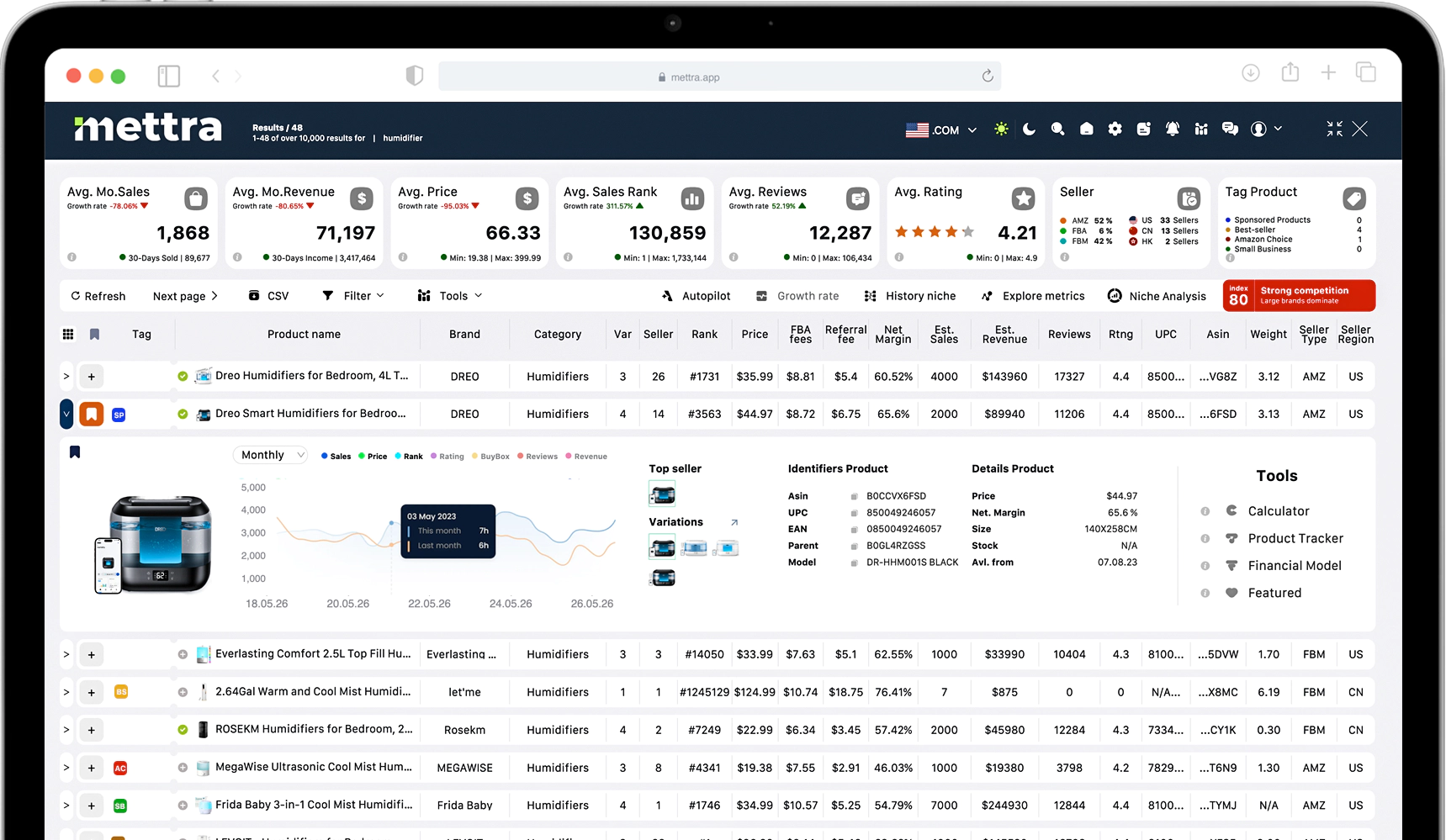
Stop Guessing. Find Profitable Amazon Products Faster.

Chrome Extension
Find profitable products faster with a Chrome extension designed for data-driven decisions. Filter Amazon by sales, price, reviews, and margins, validate niches with historical trends, and see real-time sales estimates, competition, and FBA costs directly on product pages
Learn moreBilled Yearly
Available in PRO
Save $276
$66.00/mo
×12 months | $792.00
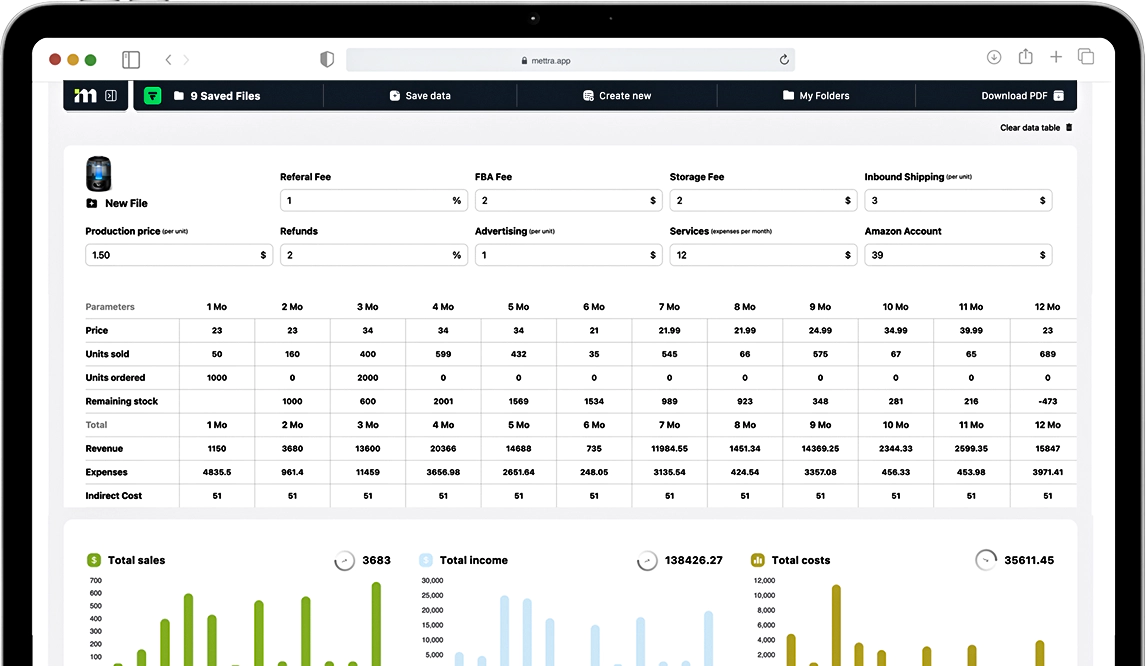
Know Your Profit Before You Invest.

Web Version
Calculate product profitability with a structured financial model built for precise unit economics. Input your costs -product, logistics, FBA fees, advertising, taxes- and instantly see margins, net profit, ROI, and payback period. Model different scenarios by adjusting price, ad spend, or sales volume to understand how changes impact your bottom line. All calculations are saved in one place, giving you a clear financial projection before you invest.
Learn moreBilled Yearly
Available in PRO
Save $276
$66.00/mo
×12 months | $792.00
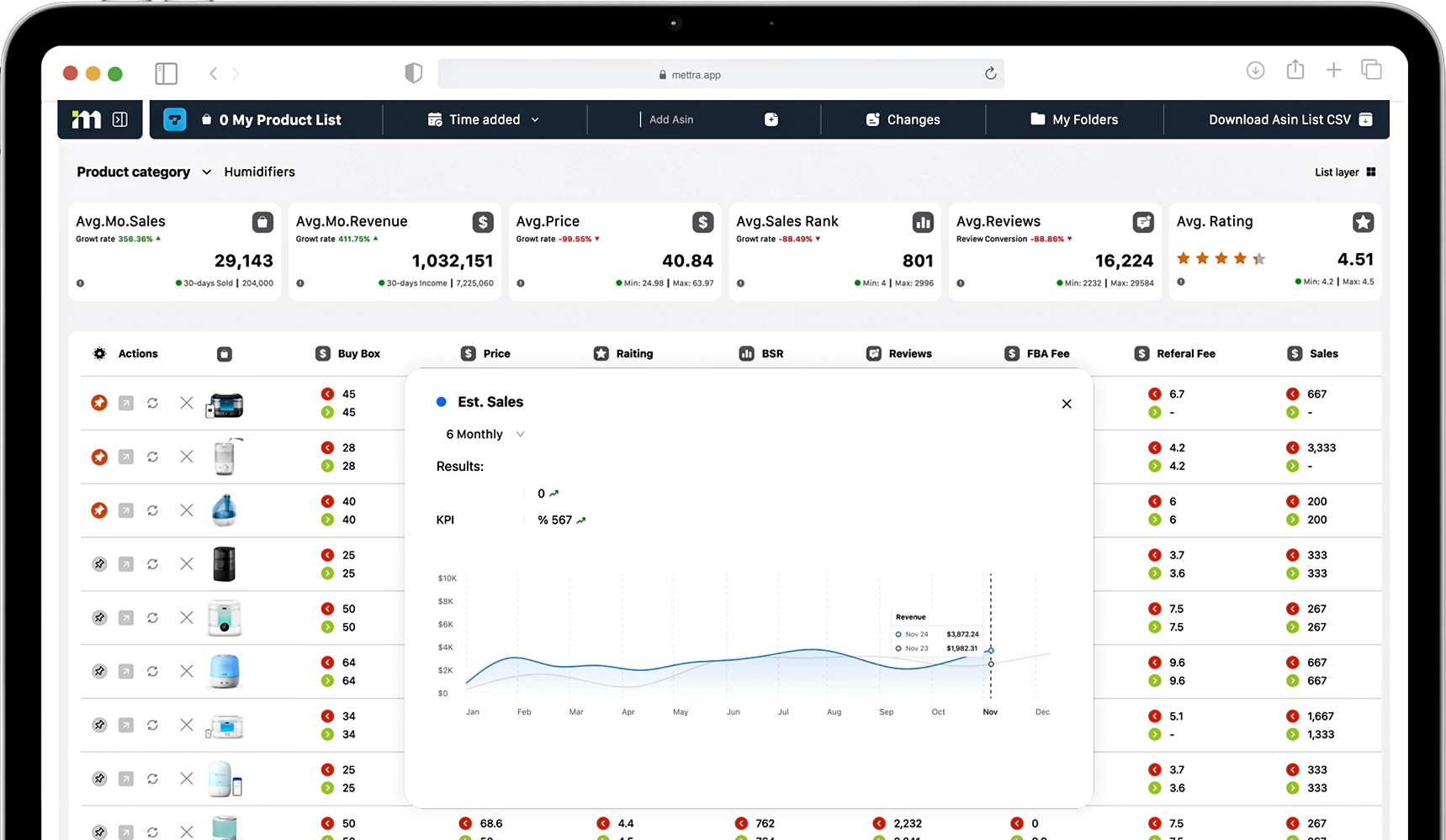
Stay Ahead of Competitors. Track Market Changes in Real Time.
Web Version
Track competitors and market changes in real time with a product tracking system built for ongoing control. Monitor sales volume, revenue, pricing, inventory levels, review growth, and ranking positions across selected products in your niche. Receive updates on key changes, spot demand shifts early, and identify competitor strategy adjustments before they impact your sales. All tracked data is organized in one place, helping you react faster, protect margins, and make informed restocking, pricing, and expansion decisions.
Learn moreBilled Yearly
Available in PRO
Save $276
$66.00/mo
×12 months | $792.00
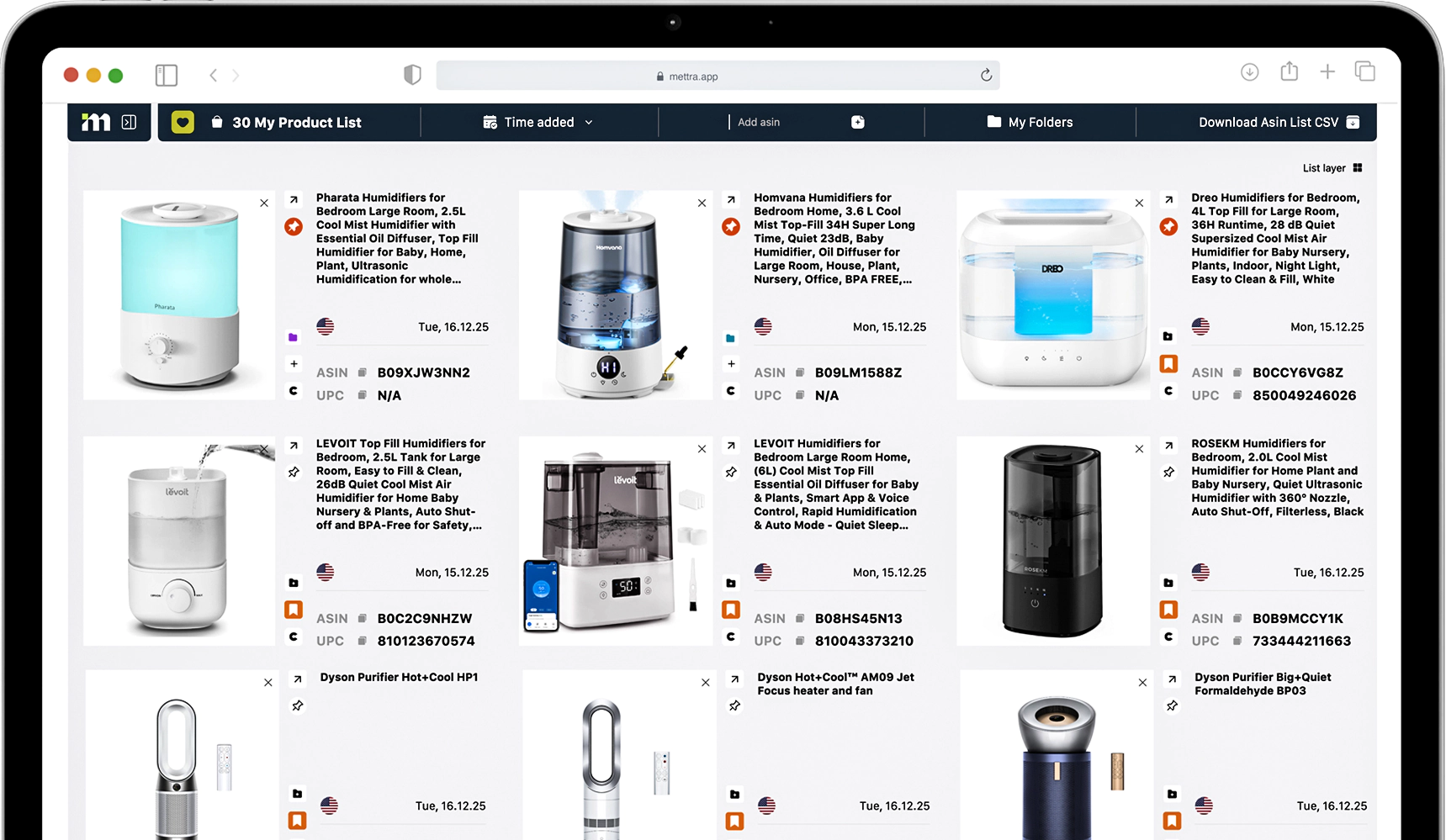
Stop Losing Product Ideas in Spreadsheets.
Web Version
A centralized Favorites workspace to save and organize products for deeper analysis. Add items directly from Amazon, group them into folders, compare key metrics side by side, and move selected products into the tracker or financial tools in one click. Keep all priority SKUs structured in one place without scattered spreadsheets, so you can analyze, plan, and make decisions faster.
Learn moreBilled Yearly
Available in PRO
Save $276
$66.00/mo
×12 months | $792.00
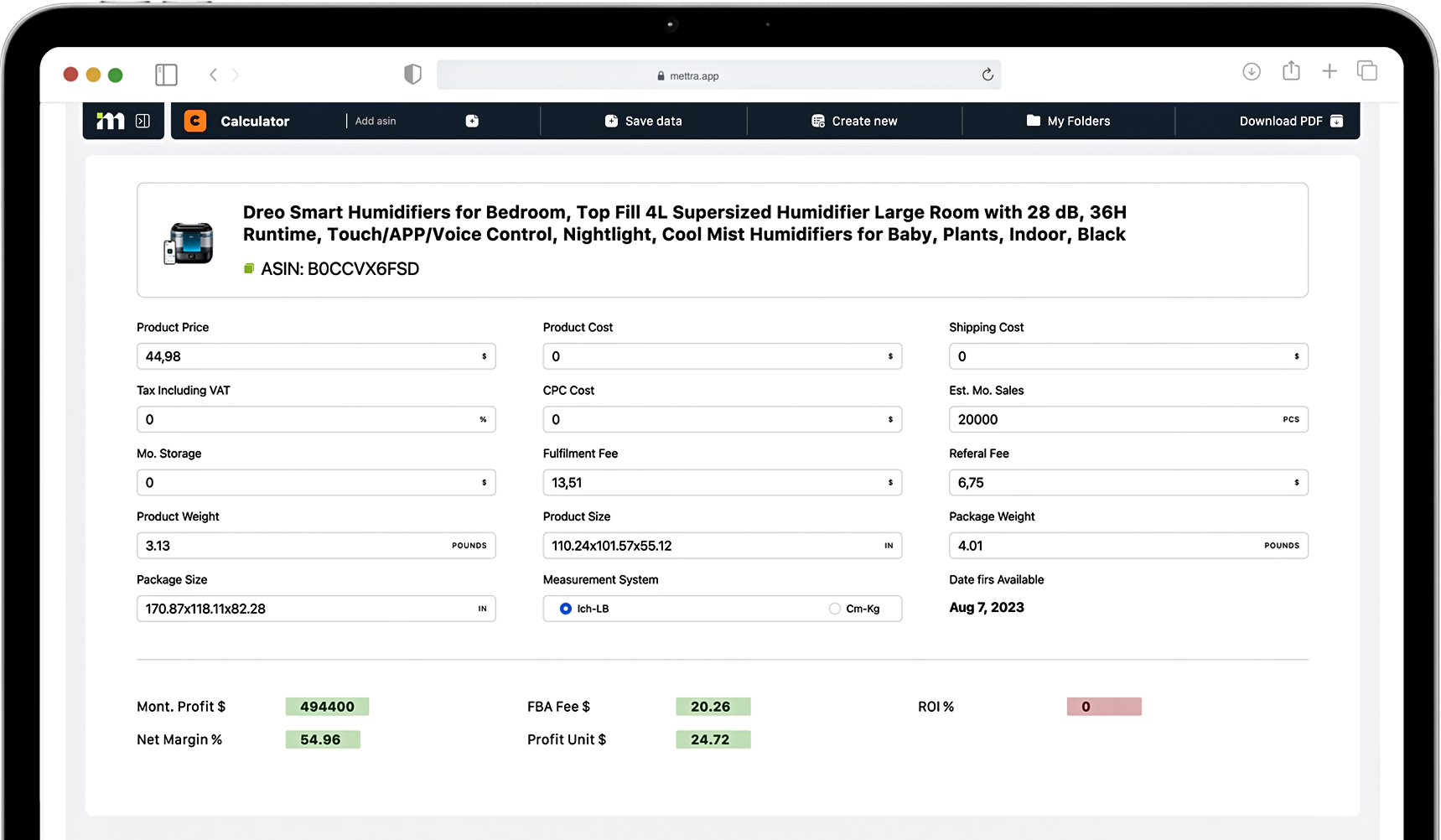
See Real Product Profit in Seconds.
Web Version
Chrome Extension
A quick profit calculator that shows the real numbers behind any product in seconds. Enter (or pull) price, FBA fees, shipping, product cost, and ads to instantly see net profit, margin, ROI, and break-even price. Adjust inputs to test scenarios and understand how pricing or ad spend will impact profitability before you buy inventory.
Learn moreBilled Yearly
Available in PRO
Save $276
$66.00/mo
×12 months | $792.00
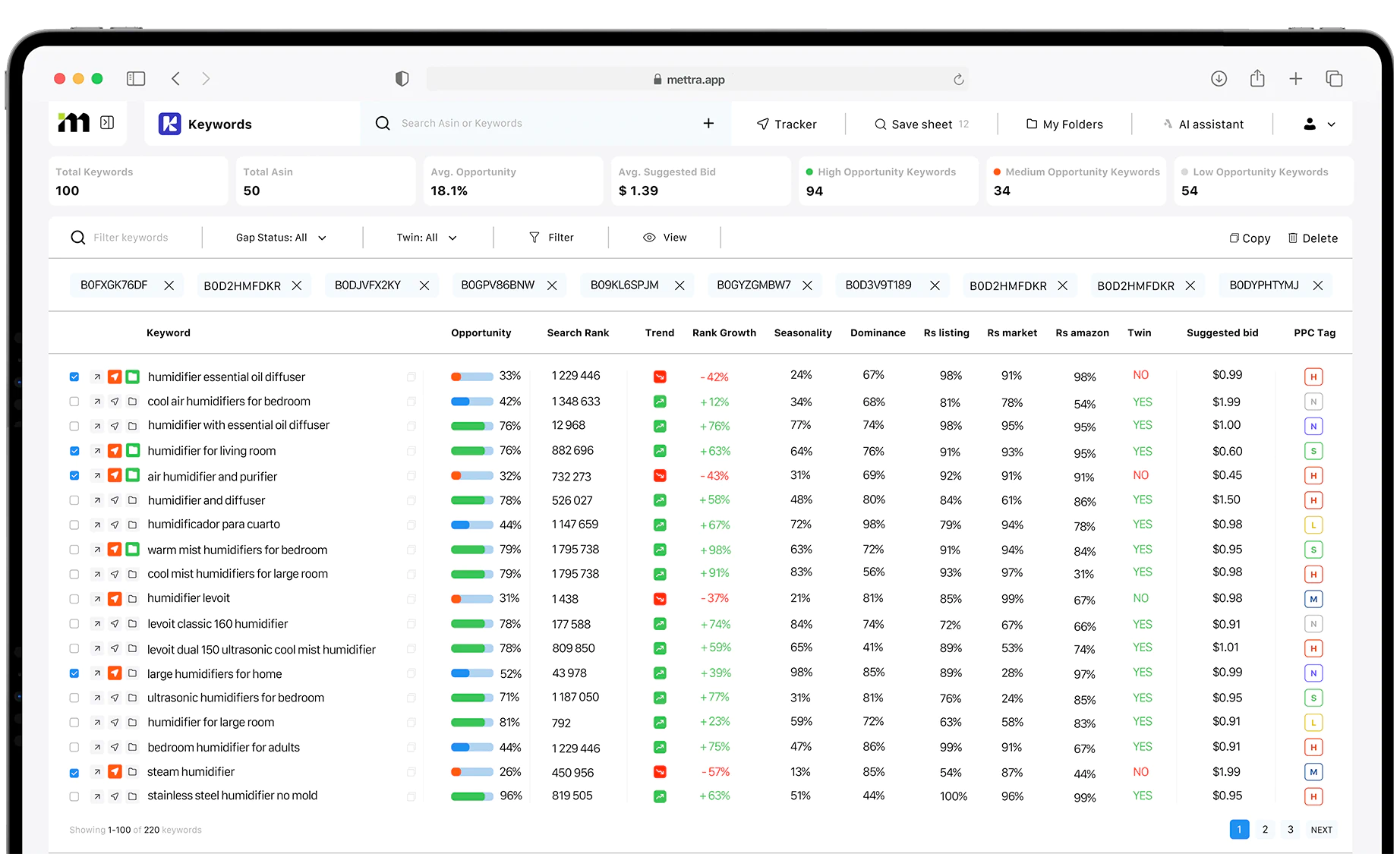
Find Keywords That Drive Sales. Stay Ahead of Amazon Search.
Web Version
Amazon’s algorithms are constantly changing, and outdated keyword databases can lead to missed opportunities and poor decisions. That’s why we developed a new keyword collection system designed to keep pace with how Amazon search evolves. Mettra identifies relevant search terms, evaluates demand, competition, ranking potential, and keyword opportunities, then turns the data into clear priorities—helping you build stronger listings, improve visibility, and target the keywords that can actually drive sales.
Learn moreBilled Yearly
Available in PRO
Save $276
$66.00/mo
×12 months | $792.00
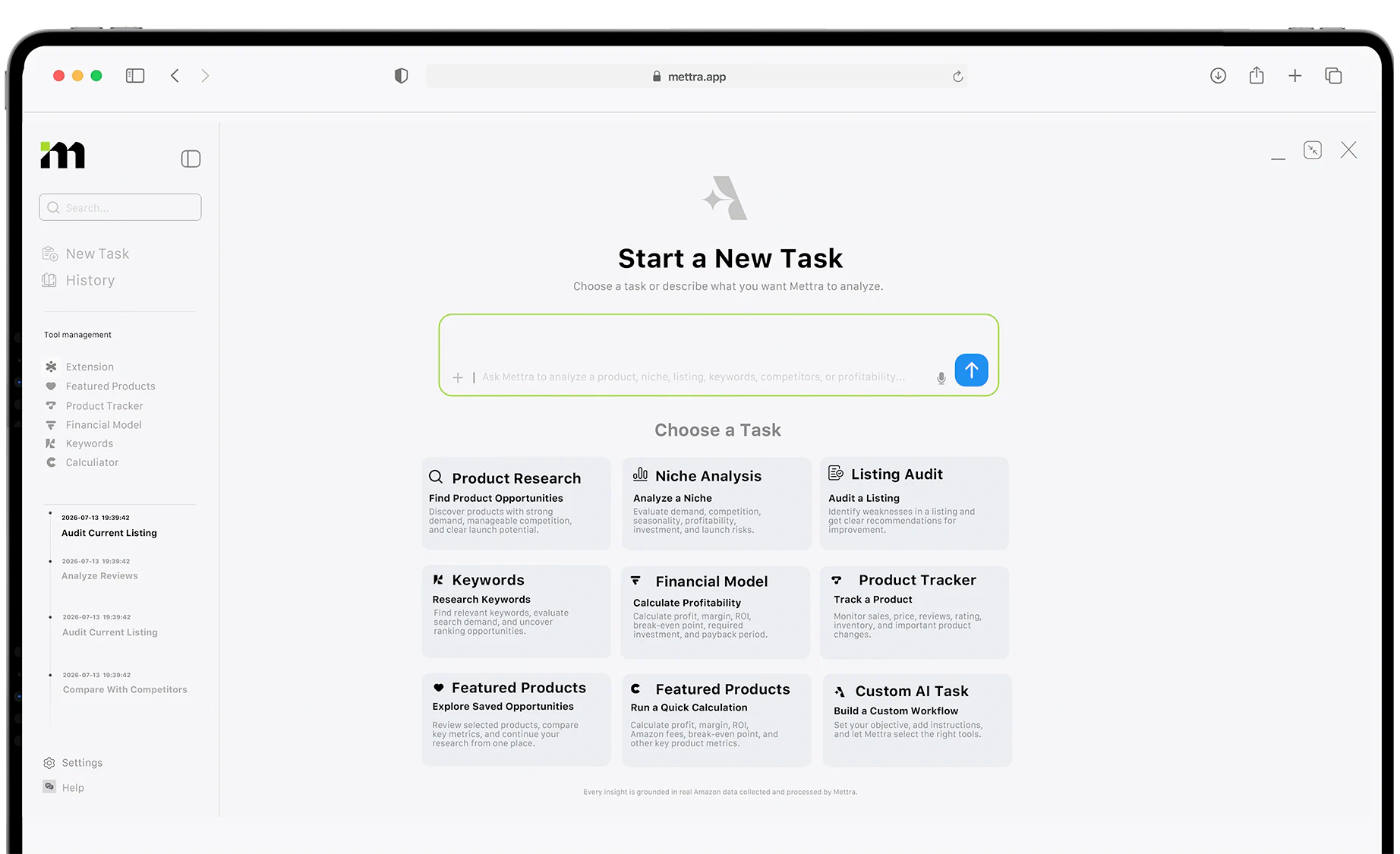
Run Your Amazon Business with One AI Agent
Web Version
Chrome Extension
Research products, analyze niches and reviews, find keywords, audit listings, calculate profitability, and track competitors with a single AI assistant. Mettra AI Agent works with real Amazon data, remembers your projects, uses Mettra tools, and connects to external AI workflows through the MCP Server.
Learn moreBilled Yearly
Available in PRO
Save $276
$66.00/mo
×12 months | $792.00
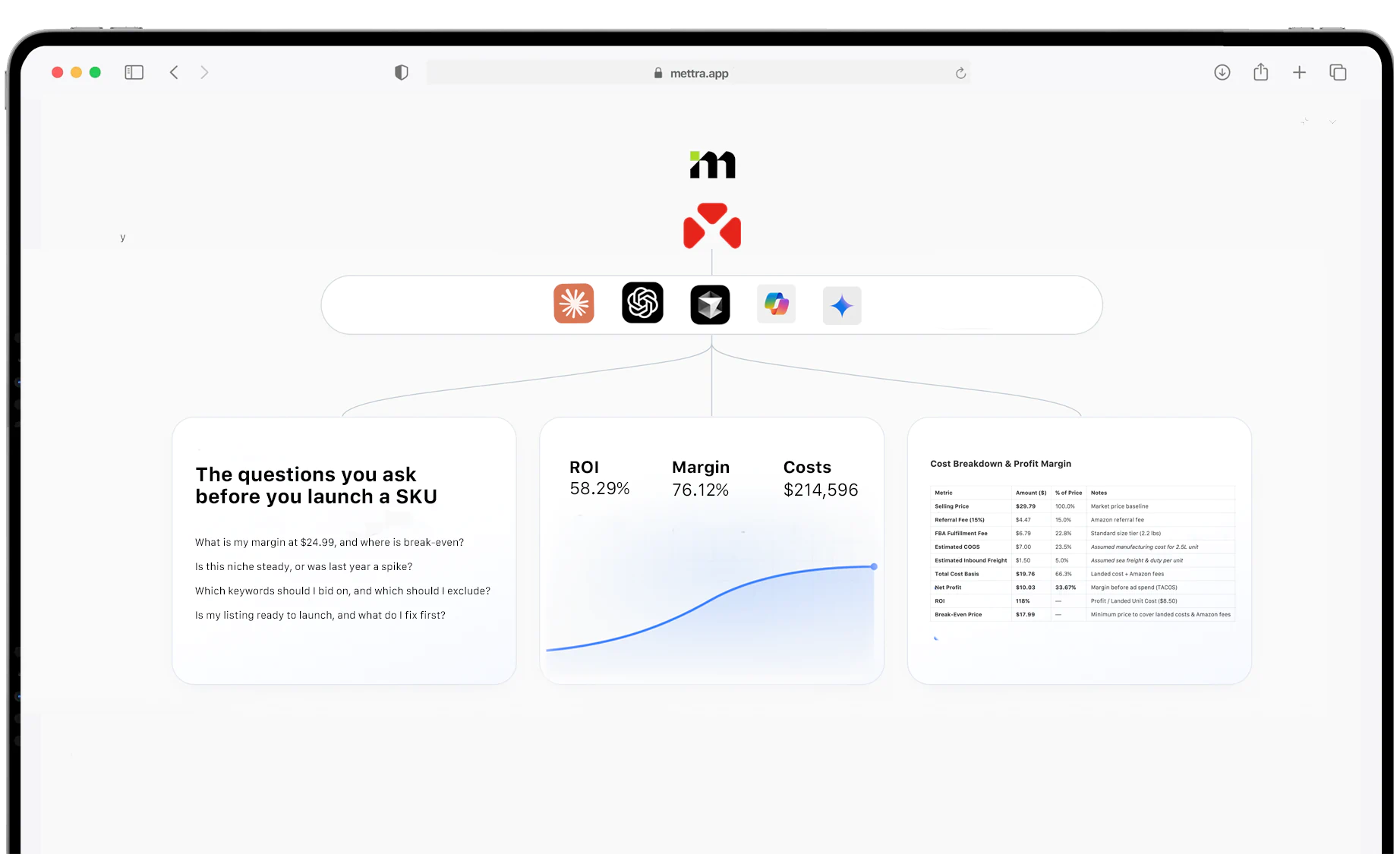
One connection you never have to maintain
Build on something dependable. The Mettra NCP gives your workflows one source of thuth for Amazon product research, market analysis, financial modeling, competitior tracking, or self-built AI workflows - with no scrapers to maintain.
Learn moreBilled Yearly
Available in PRO
Save $276
$66.00/mo
×12 months | $792.00
Built for Amazon
Sellers
Mettra combines product research, analytics, finance, and AI for Amazon sellers

Built from the experience of 1,000+ Amazon sellers