Test price and cost changes
Change the selling price, supplier cost or ad spend to see how profit and margin respond.
See what you keep from each Amazon sale.
Add product cost, shipping, Amazon fees and ads to estimate your profit, margin, ROI and break-even price.
Calculate profit directly on Amazon product pages with the Mettra Chrome Extension.
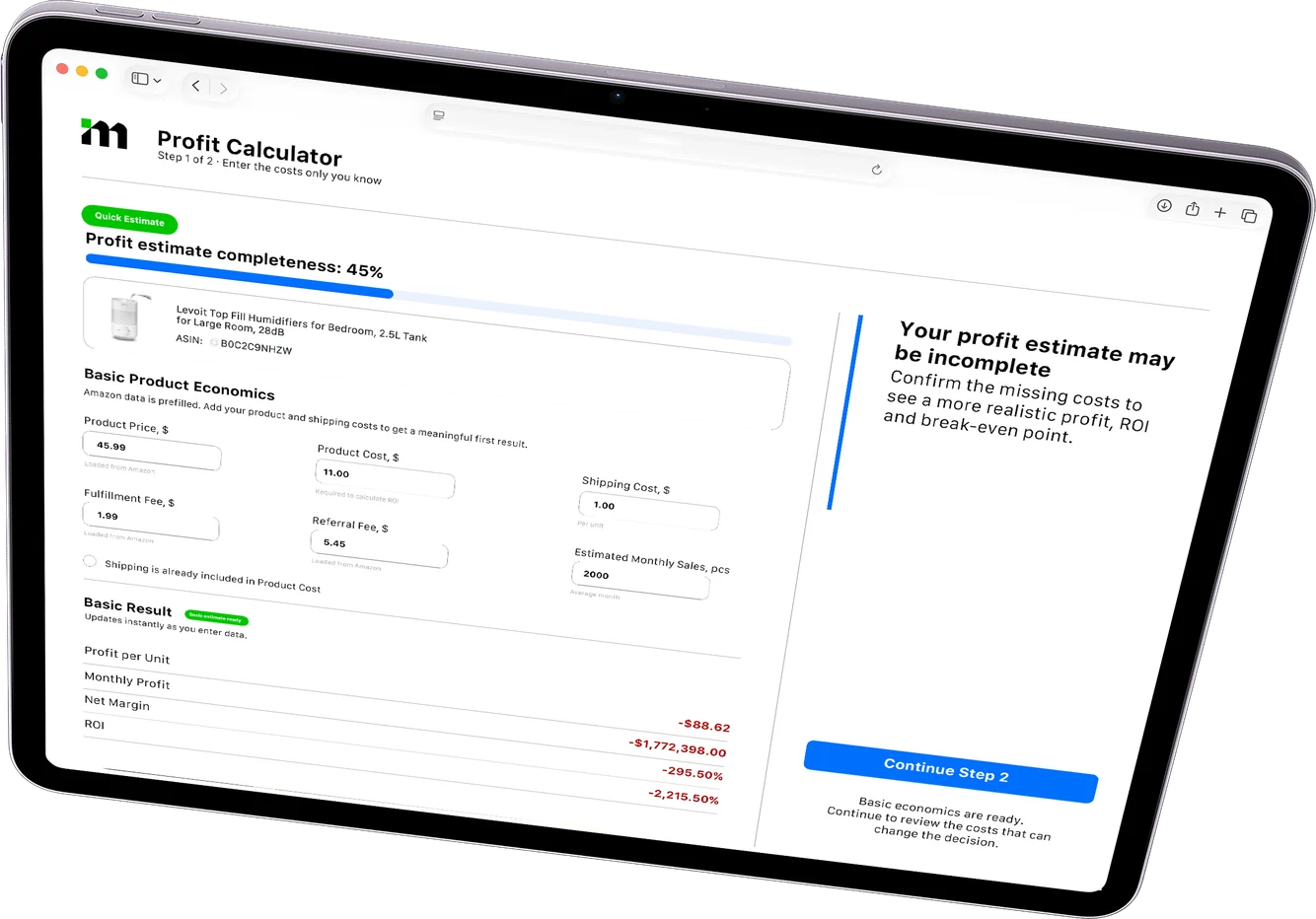
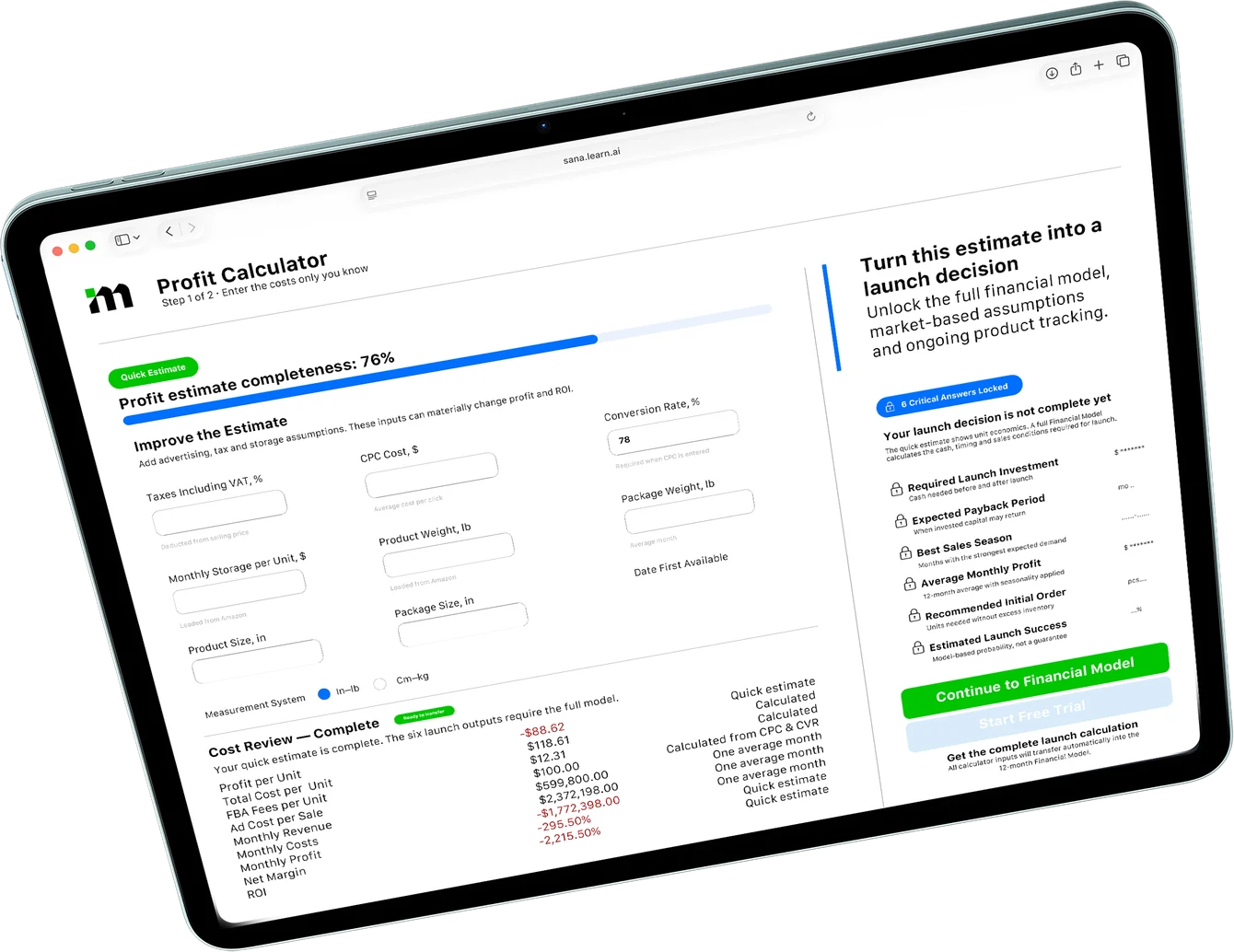
Use the calculator while comparing products, setting a price or checking a new supplier quote.
Enter an ASIN to prefill available listing data and estimated Amazon fees, or open the calculator from the Chrome Extension.
Enter what you pay for the product, shipping, ads and other expenses. Check the fulfillment and referral fees for the item.
See what you keep per sale and how much room you have for price changes or higher costs.

Change the price, shipping or ad cost to see how much you keep from one sale.
Advertising is the average ad cost per sale.
Enter a sale price above zero and valid costs and fees.
Profit per unit is the sale price minus product, shipping, advertising, storage, FBA fulfillment and the referral fee. Net margin divides profit by sale price. Unit ROI divides profit by product, shipping and ad costs.
The break-even price divides fixed per-unit costs by the share of revenue left after the referral fee. The example uses a flat referral percentage and sample fees for one unit.
Watch how product inputs turn into a profit estimate and a breakdown of costs.
Open web calculatorTest an estimate, review what affects profit and share the calculation.
Previews use sample data.Change the selling price, supplier cost or ad spend to see how profit and margin respond.
Use the calculation to spot which fees or costs are worth checking first.
Keep an estimate for your records or share the costs and results with your team.
Mettra Academy shows how to start from an ASIN, enter the costs you actually pay and interpret the profit estimate.
Compare the steps from finding a listing to checking the profit on a sale.
| Task | Spreadsheet workflow | With Mettra |
|---|---|---|
| Start with a listing | Copy the price and product details into a sheet. | Enter an ASIN to load available listing data and estimated Amazon fees. |
| Count the costs | Set up cells for sourcing, shipping, fulfillment, referral fees and ads. | Enter your costs and check the estimated Amazon fees for the item in one place. |
| Read the result | Add formulas for profit, margin, ROI and break-even. | See per-unit profit, margin, ROI and the break-even price together. |
| Test a change | Update inputs and compare results across copies or tabs. | Change the price or any cost and see the new estimate immediately. |
| Research on Amazon | Switch between the listing and your spreadsheet. | Open Profit Calculator from the Mettra Chrome Extension while browsing. |
| Plan the full launch | Build a separate cash-flow sheet for inventory, sales and payback. | Continue in Financial Model to estimate upfront investment and payback over time. |
It estimates what you keep from one Amazon sale after the costs and fees you enter. Review net profit, net margin, ROI and break-even price together.
Yes. Enter an Amazon ASIN to load available listing information and estimated fees. Add your own product, shipping and advertising costs to complete the estimate.
Yes. Include the FBA fulfillment charge and the referral fee for the product’s category. Check the marketplace, size and weight when reviewing estimates.
Use an average ad cost per unit sold. Divide the ad spend you want to allocate by the number of units it applies to.
It is the sale price at which revenue covers the costs you entered. Changes to fees, shipping or advertising can change that price.
Yes. Open the calculator from the Mettra Chrome Extension while you research a product on Amazon.
Use Financial Model when you need to plan monthly sales, inventory orders, startup cash and the time it could take to recover your investment.
Calculate profit right on an Amazon product page. Use Financial Model when you’re ready to estimate startup cash and payback.