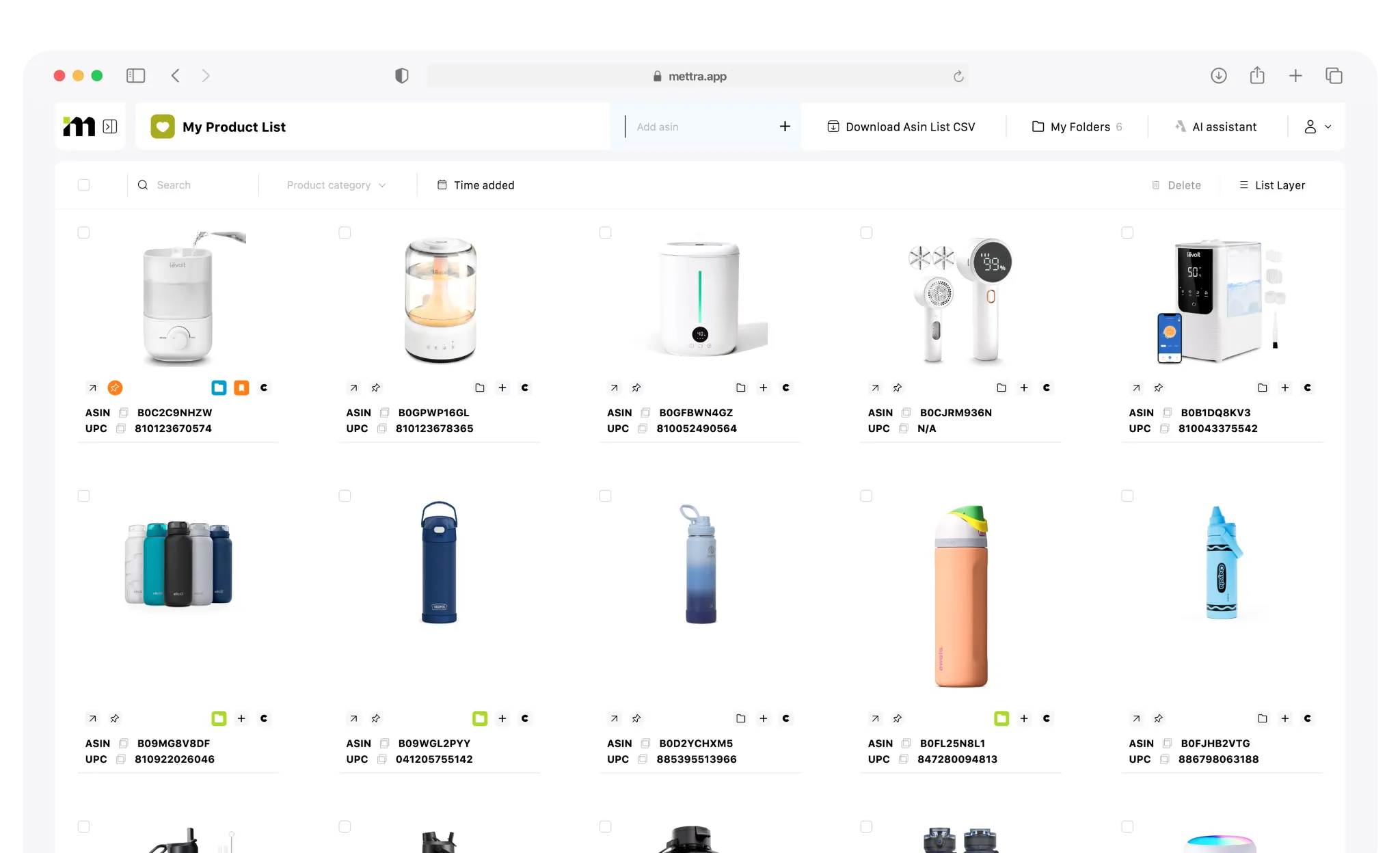
Your shortlist at a glance.
See saved products in a visual grid. Keep their identifiers close and open the next tool from the product you want to explore.
Actual Mettra interface · Click any screen to open it in full size.
Mettra Favorites
Save products with the Mettra extension as you browse Amazon. Organize your ideas, track the changes and check the profit.
Save on Amazon · Organize in Mettra · Take the next step
01YOUR PRODUCT SHORTLIST
Keep the products you discover on Amazon in one workspace. Switch between grid and list views, sort them into folders and open the calculator without leaving Favorites.
Explore what comes nextSee saved products in a visual grid. Keep their identifiers close and open the next tool from the product you want to explore.
Actual Mettra interface · Click any screen to open it in full size.
Add products to Favorites from the Mettra extension on Amazon. Come back to your shortlist when you are ready.
Use the visual grid to scan your ideas or the list view to see product names, identifiers and dates together.
Download your saved ASIN list as a CSV file when you need to work with it elsewhere.
02FOUR WAYS TO MOVE FORWARD
Saving a product is the beginning. Give it a place, follow its performance, watch its keyword positions or check its unit economics.
HUMIDIFIERS
Ideas for a quieter bedroomChoose a folder to explore the example.
01 / ORGANIZE
Sort saved products into folders by niche, project or launch idea. Keep your research organized and pick it up exactly where you left it.
SALES HISTORY
02 / TRACK PRODUCTS
Send a favorite to Product Tracker. Follow sales, price, BSR and inventory changes over time to see how the product actually performs.
03 / TRACK KEYWORDS
Send a saved product to keyword position tracking. Choose the queries you want to follow, review ranking history and spot changes in Amazon search.
04 / CALCULATE
Open the calculator directly from a favorite. Enter your costs and review profit per unit, margin and ROI before taking the idea further.
Illustrative workflows · Product metrics, keyword positions and calculator assumptions are examples. Actual screens are shown above.
Save. Organize. Explore.