Keyword rankings
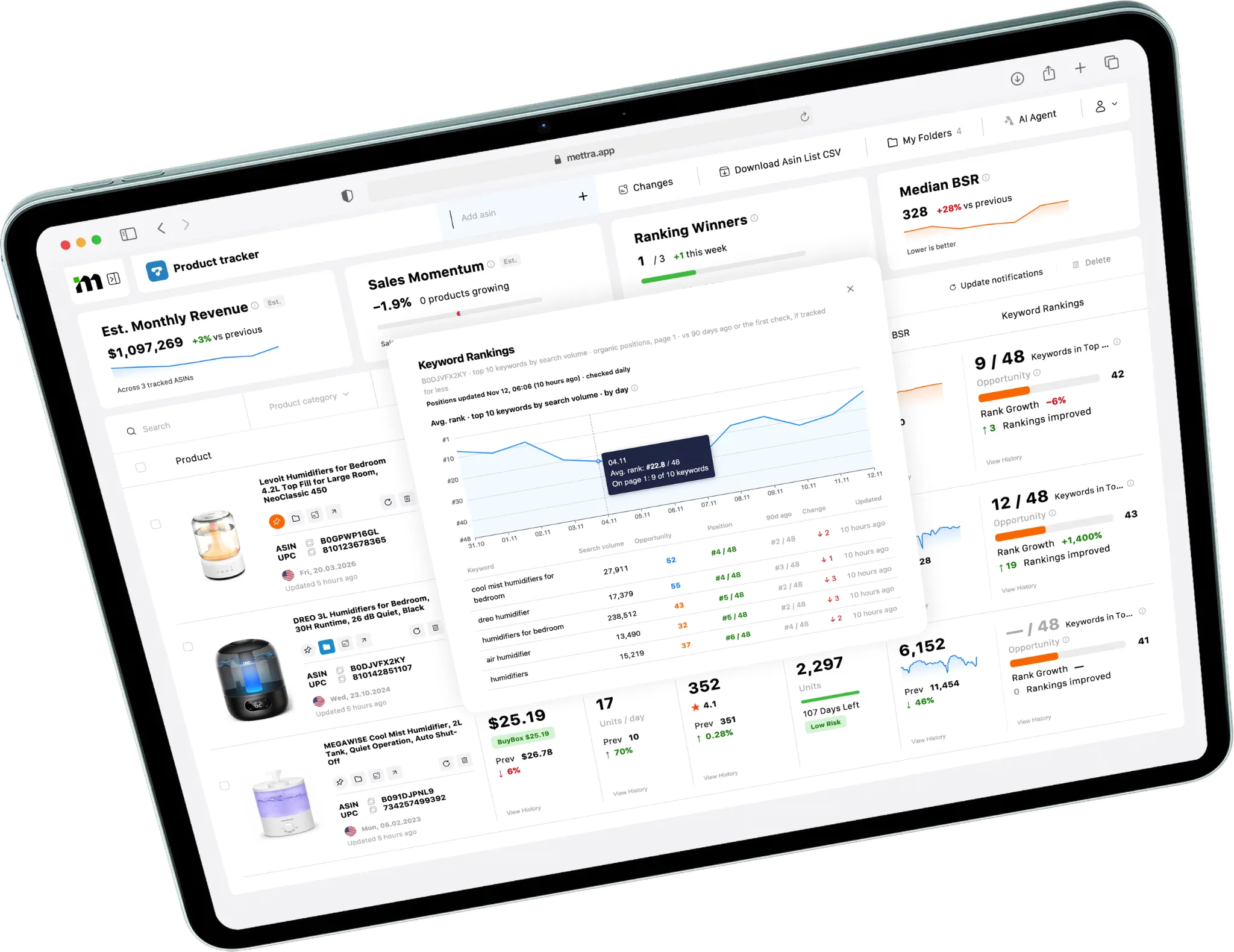
See the search terms you’re tracking, their current positions and how those positions changed.
Track Amazon products and competitors.
Monitor sales, prices, inventory and keyword rankings. See what changed and open the history behind each move.
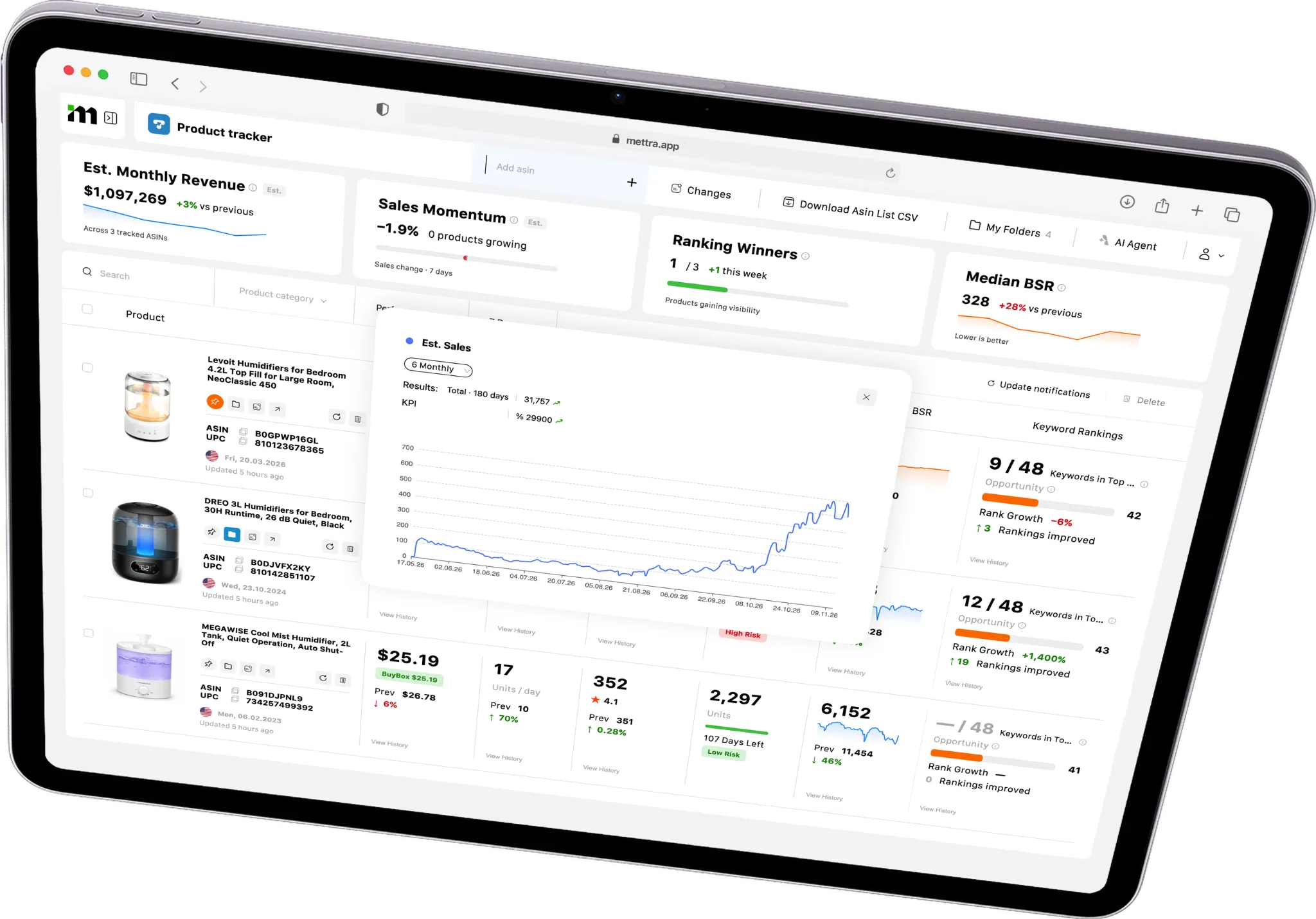
Follow your listings and the competitors you want to keep an eye on.
Enter an Amazon ASIN or add products while researching in the Chrome Extension.
Compare current and previous values for price, sales, reviews, inventory and Best Sellers Rank (BSR).
Inspect a change in its historical chart and choose the updates you want Mettra to flag.
 Product TrackerAmazon US
Follow a watchlist through price and sales history, keyword positions, folders and alert settings.
Product Tracker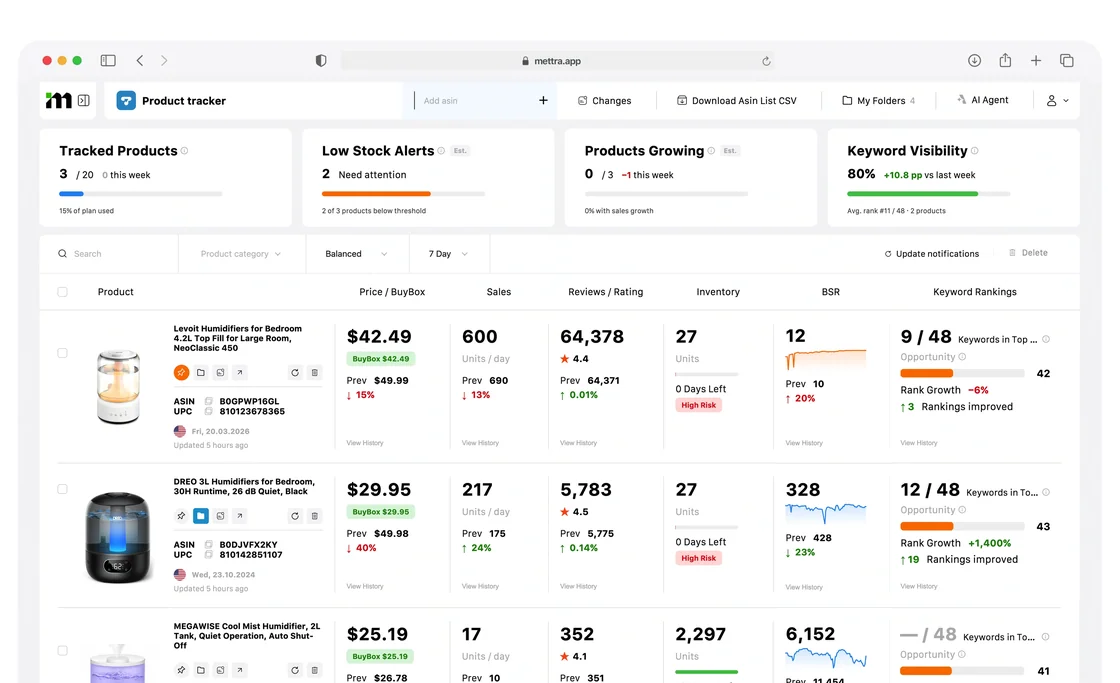
See the metrics, history and controls you can use from your watchlist.
Previews use sample data.See the search terms you’re tracking, their current positions and how those positions changed.
Compare the current and previous price. Open history to see when it changed.
Open charts for estimated sales and Best Sellers Rank to see how performance changed over time.
Check estimated stock cover, review growth and rating changes from the same product row.
Review recent changes and choose which events should trigger notifications for a product.
Pin products you check often, group related ASINs in folders and export your list for further analysis.
Mettra Academy. Learn how to build a watchlist, read changes and set alerts for the products you follow.
See where each monitoring task fits into your routine.
| Tracking task | Manual checks | With Product Tracker |
|---|---|---|
| Price & Buy Box | Check each listing and log the latest price. | Compare current and previous prices and open the Buy Box history. |
| Sales & BSR | Record sales estimates and rank by date. | Open estimated sales and BSR charts from the product row. |
| Inventory & reviews | Record stock and review changes on repeat visits. | See inventory, estimated days left, review count and rating together. |
| Keyword positions | Run the same Amazon searches and record the results. | Review positions and history for the terms you track. |
| Change alerts | Recheck listings on a schedule. | Choose the events you want to monitor in notification settings. |
| Organize & export | Maintain separate lists for products and competitors. | Pin products, group them in folders and download the ASIN list as CSV. |
It’s a watchlist for Amazon sellers. Add ASINs to follow your listings and competitors and see how their metrics change over time.
Review estimated sales and revenue, price and Buy Box, stock, reviews, rating and Best Sellers Rank. You can also inspect available keyword positions.
Yes. Add the ASINs of competing products to the same watchlist or group them in a separate folder.
Open View History for the metric you want to inspect and choose a time range. The walkthrough shows price and Buy Box, estimated sales, BSR and keyword ranking history.
The notification settings let you choose events such as Buy Box, price, rating, BSR, reviews and sales changes.
Yes. Open Keyword Rankings to review tracked terms, their positions and the ranking history where data is available.
Yes. Pin products you check often, group related ASINs in folders and download your ASIN list as CSV.
Start with an ASIN you sell or a competitor you want to follow.